Graphical guide to Kanban boards
A Kanban board is a great (and fun!) visual tool often used to manage the flow of work during a project. In essence, project team members take (or 'pull') tasks from a pool of to-do items and move them through the different stages of the workflow as the work progresses. This allows the team to visually follow their progress and track how long tasks take to be completed. Kanban boards also encourage team spirit: everyone gets to take part in moving their respective tasks from beginning to completion.
If you are dealing with a small-scale project, you can simply use a whiteboard with some sticky notes to set up a Kanban board. But there are also several digital tools available if you have to manage a large project.
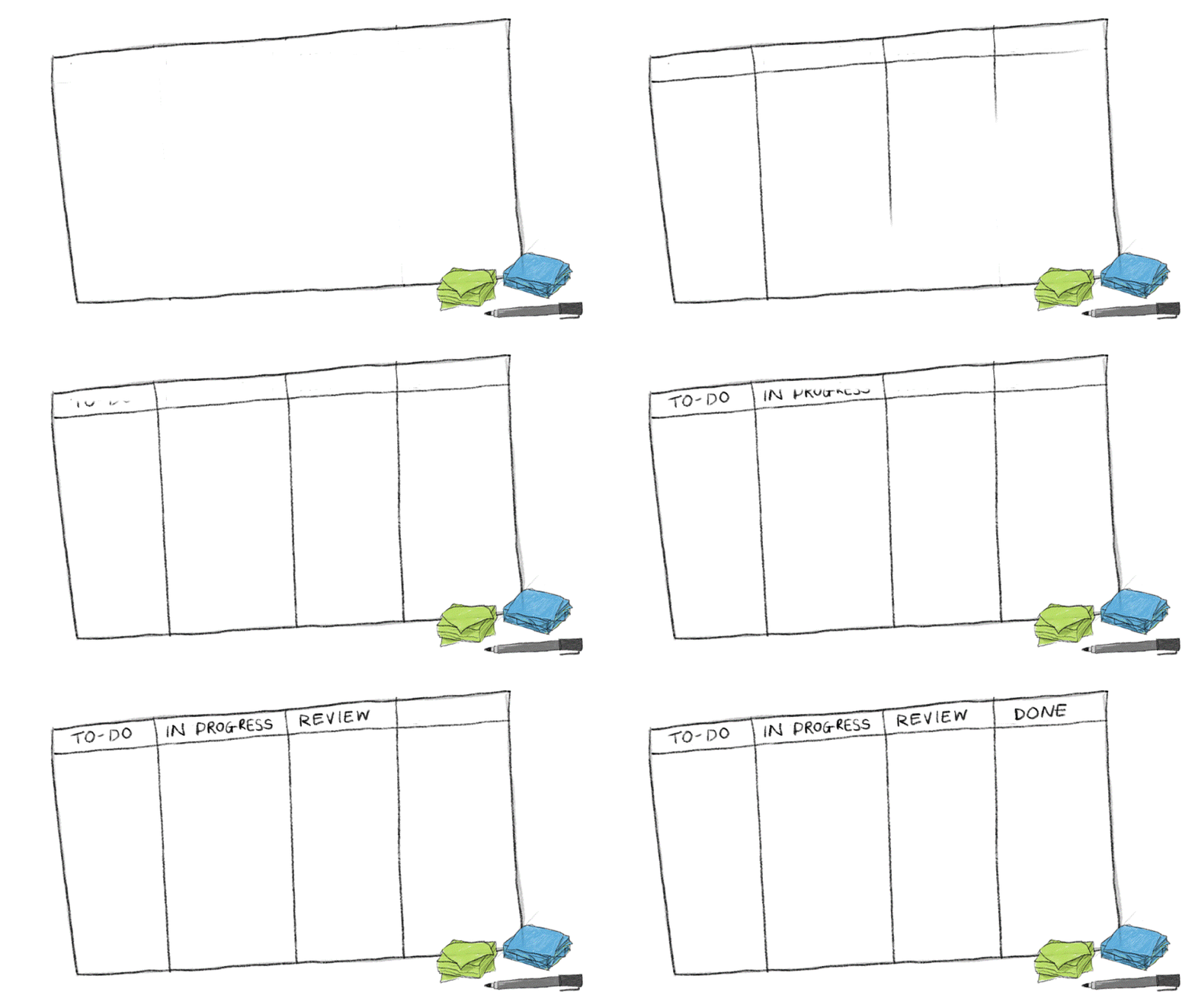
Start by drawing columns to represent the different stages of the workflow. The simplest form has three columns: "To-do", "In progress" and "Done", but often it is worthwhile to include more columns, depending on the project. The first column typically acts as the to-do list (in some cases an additional column is added for new requests).
Start by adding the tasks that need to be completed for a project.
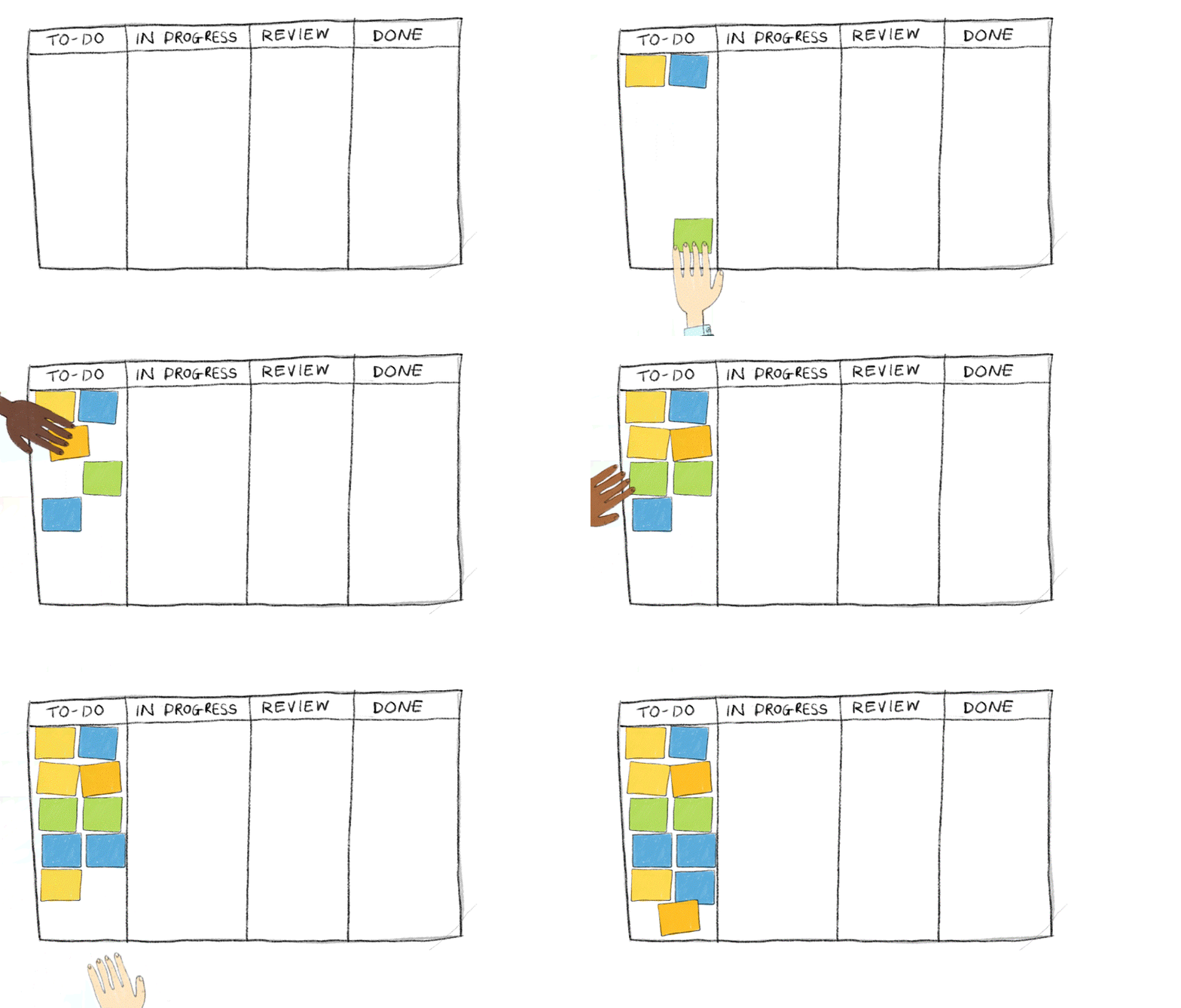
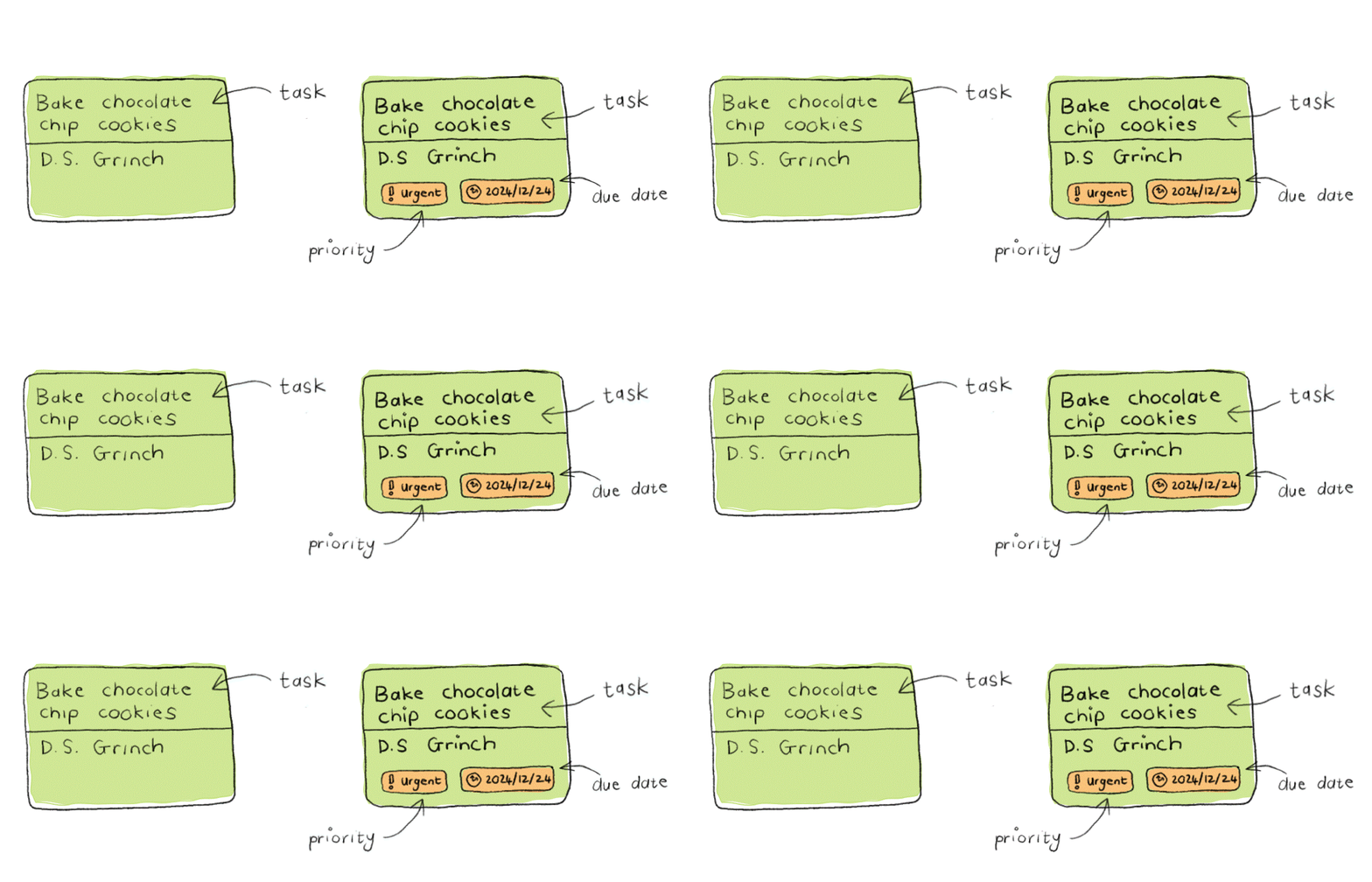
Each work item or task is placed on a Kanban card. The most basic card should contain the task title or description and the assignee. Other information such as the priority and due date can also be added.
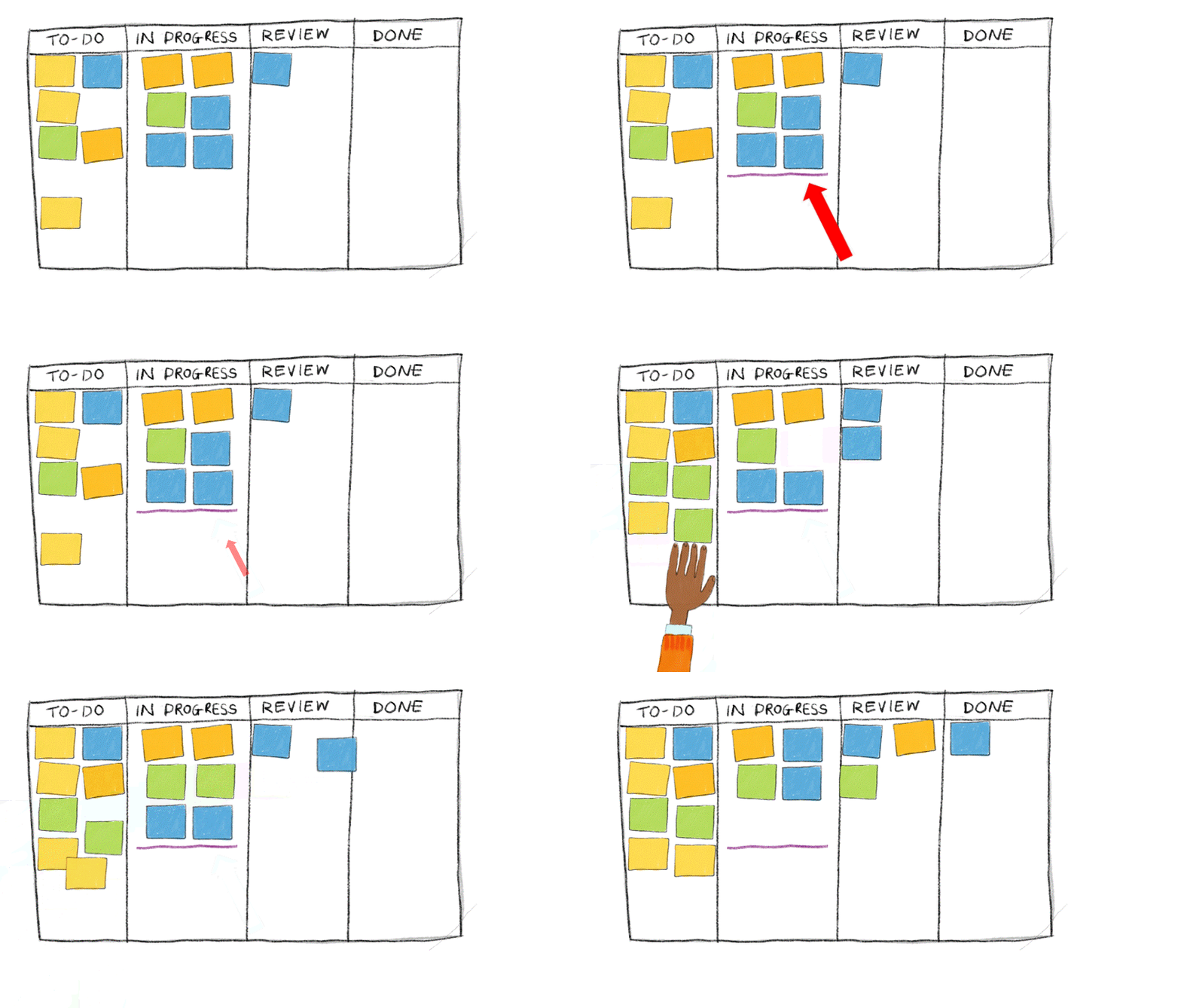
Cards are then moved from the left of the board to the right as it completes the different stages of the workflow. New items can also be added if needed.
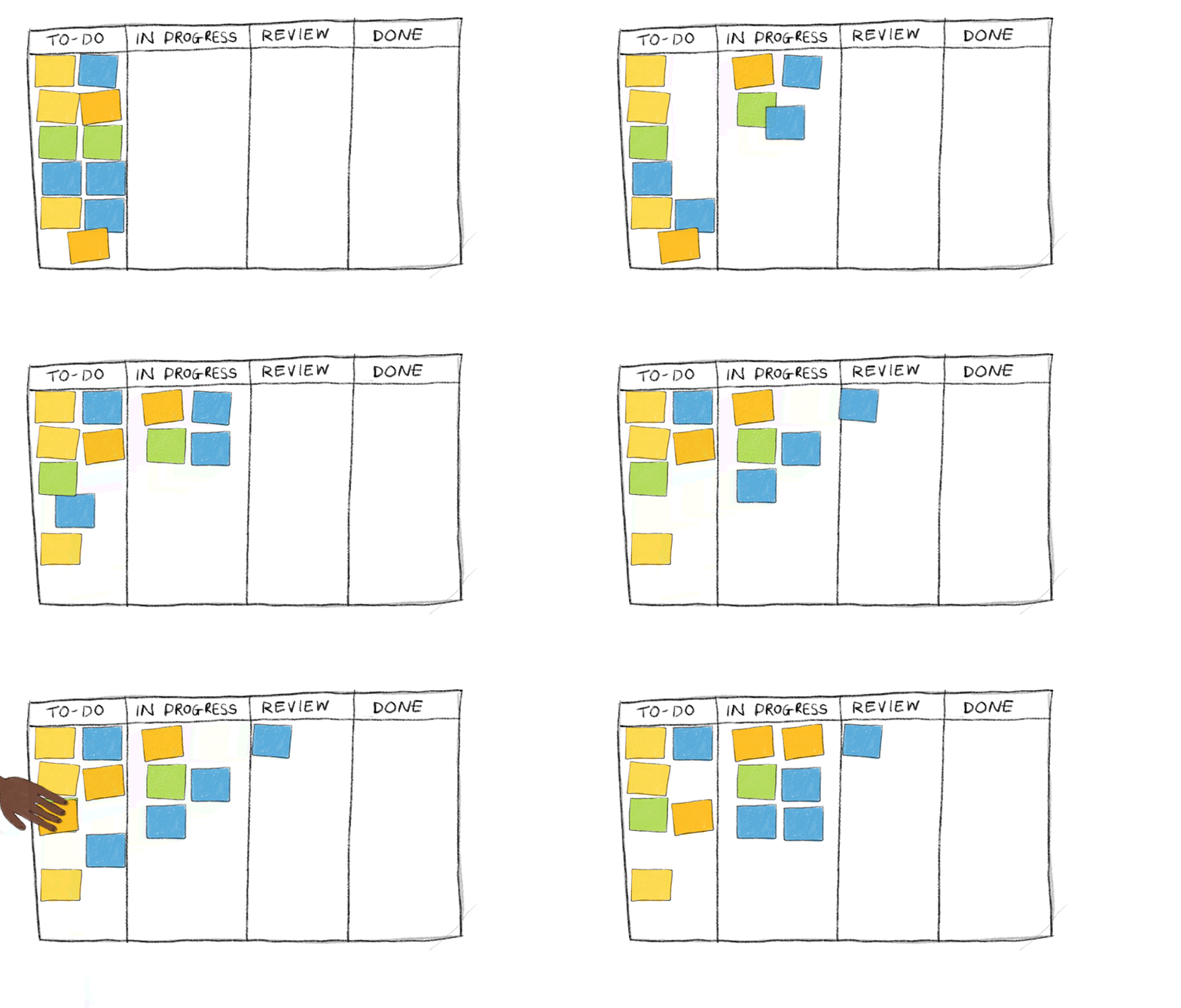
A useful way to keep tasks moving through the workflow is to introduce a WIP (Work in Progress) limit. This limits the number of tasks that can be worked on at the same time, encouraging the team to complete existing tasks before starting new ones and preventing work from piling up in a column.